



Blooket is an interactive educational platform that turns ordinary quizzes into engaging online games. It allows students to practice school subjects, compete with classmates, and review important concepts through different game modes that combine questions, rewards, and challenges.
For beginners, learning how to play Blooket is relatively simple. Whether you want to join a live classroom game, practice independently in solo mode, or discover strategies for improving your performance, understanding the platform’s basic features can help you get started with confidence.
This guide explains how to play Blooket step by step, how live and solo games work, which game modes beginners should try, and how to make the most of the platform’s educational features.
What Is Blooket?
Blooket is a browser-based learning platform that combines educational questions with game mechanics. Teachers can create question sets or choose existing ones, then use them to host interactive games or assign independent practice activities.
Unlike traditional online quizzes, Blooket allows players to answer questions while participating in different challenges. Depending on the selected mode, correct answers may help players earn virtual rewards, collect characters, advance through levels, build defenses, or compete against other participants.
The platform supports a wide range of subjects, including mathematics, science, history, geography, vocabulary, and language learning. This flexibility makes Blooket useful for classroom revision, homework, test preparation, and informal educational practice.
How to Get Started With Blooket
Getting started with Blooket requires only a compatible web browser and an internet connection. Students who want to join a teacher-hosted game can generally participate without creating an account, while teachers and users who want to manage question sets or host games need to sign in.
To begin, visit the official Blooket website to explore the platform. If you have been given a live-game code, you can go directly to the Blooket game-joining page to enter the session.
The steps you follow next depend on whether you want to join a live game, play independently, or host a game for other participants. Understanding these options will help you choose the right starting point.
How to Play Blooket Live Games
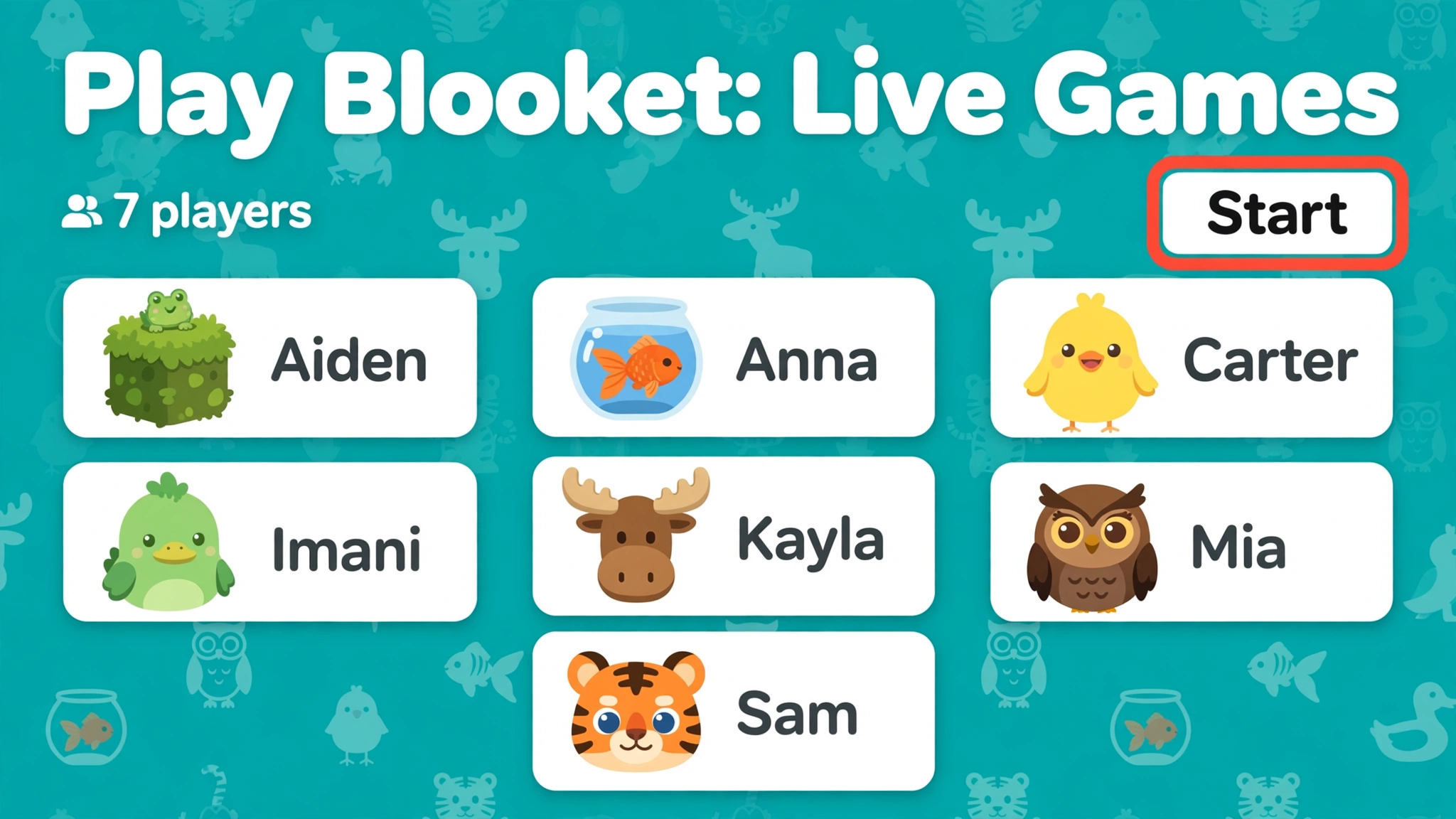
Live games are one of the most popular ways to use Blooket, especially in classrooms. In this format, a teacher or host starts a session, selects a game mode, and shares a code that allows students to join the activity.
Once the session begins, players answer questions while competing or cooperating according to the rules of the selected mode. The experience may include leaderboards, rewards, timed challenges, and other features that make answering educational questions more interactive.
Step 1: Open the Blooket Join Page
To join a live game, open your web browser and visit play.blooket.com. Make sure you have a stable internet connection so that questions and game updates load correctly.
You do not usually need to create an account simply to participate in a hosted session. However, you will need a valid game code or joining link from the person running the game.
Step 2: Enter the Game Code
Your teacher or host will provide a game code when the session is ready. Enter the code in the appropriate field on the joining page and follow the on-screen instructions.
If the code is rejected, double-check the numbers or characters and ask the host to confirm that the game is still active. A session may not accept new participants if it has ended or the host has changed its settings.
Step 3: Choose a Display Name
After entering the code, you may be asked to select a display name. Choose an appropriate name that follows your teacher’s instructions and your school’s online safety rules.
Avoid including personal information, such as your home address or phone number, in your display name. Once you have completed the joining process, wait for the host to start the game or for the session to advance to the next stage.
Step 4: Answer Questions During Gameplay
When the game begins, read each question carefully and select the answer you believe is correct. Depending on the game mode, your response may help you earn points, collect resources, move forward, or complete another objective.
Some modes reward quick answers, while others focus more on strategy and progression. Pay attention to the instructions displayed on the screen because each mode has its own rules and goals.
Step 5: Review Your Results
At the end of the session, the game may display rankings, scores, or other performance information. Take a moment to review any questions you found difficult and consider why certain answers were correct.
The most valuable part of a live Blooket game is not necessarily finishing first. Reviewing mistakes and understanding the material can help you improve your knowledge long after the competition has ended.
How to Play Blooket Solo Mode
Solo mode allows players to practice without joining a live multiplayer session. It can be useful when you want to revise a subject independently, prepare for an upcoming test, or work through questions at your own pace.
Instead of competing directly against classmates, you play a compatible game mode on your own. The selected mode determines how questions are presented and how your answers contribute to progress.
Step 1: Find a Question Set
Start by visiting the Blooket website and browsing the available question sets. You can search for a topic you want to study, such as multiplication, biology, vocabulary, or world history.
Choose a set that matches your learning goals and current level. Before beginning, check the questions when possible to make sure the content is relevant and accurate.
Step 2: Select a Solo-Compatible Game Mode
Open the question set and look for the available options for solo play. Choose a mode that supports independent gameplay and follow the instructions displayed on the platform.
Not every game mode necessarily supports every type of solo activity. If a particular mode is unavailable for individual play, choose another compatible option or use an assignment provided by your teacher.
Step 3: Answer Questions at Your Own Pace
Once the activity begins, work through the questions and pay attention to the feedback provided by the game. Use incorrect answers as opportunities to identify concepts that need further review.
Solo practice is particularly useful when you want to repeat a topic several times without the pressure of keeping up with other players. Repetition combined with careful review can help reinforce information and improve recall.
Step 4: Repeat Difficult Questions and Topics
After completing a game, revisit the questions you struggled with. If the same concept appears in multiple questions, take time to understand the underlying idea instead of memorizing only the correct answer.
You can then try another compatible game mode or question set to reinforce your understanding. This approach makes Blooket more useful as a study tool rather than simply a source of entertainment.
How to Host a Blooket Game
Hosting a Blooket game allows teachers, educators, and other eligible account holders to organize activities for a group of players. The process involves selecting educational content, choosing a game mode, and sharing access details with participants.
First, visit the official Blooket website and sign in to your account. Browse the question-set library or create a new set that includes questions relevant to your lesson, subject, or revision topic.
Next, select a suitable game mode and review the available hosting settings. Depending on the mode and account features, you may be able to adjust certain options that influence the pace, duration, or structure of the activity.
Once the game is ready, launch the session and share the joining code or link with your students. Give participants enough time to enter the game, explain the rules, and begin the activity when everyone is prepared.
After the session ends, review any available results or reports. These can help you identify common misunderstandings, recognize areas of progress, and decide which concepts need additional classroom practice.
Best Blooket Game Modes for Beginners
Blooket offers different game modes, and the best choice depends on your experience, the subject you are studying, and the type of activity you enjoy. Beginners may find it easier to start with straightforward formats before exploring modes that involve more complicated strategies.
Classic Mode
Classic is a good starting point for players who want to understand the basic Blooket experience. It focuses on answering questions and competing for a higher position on the leaderboard.
Because its core mechanics are relatively simple, Classic works well for short revision sessions and introductory classroom activities. It is a useful option when you want to focus on the educational questions without learning too many additional game rules.
Gold Quest
Gold Quest combines question answering with treasure collection and changing rewards. Players answer questions and open chests that can affect their gold totals, creating an unpredictable competition.
This mode is appealing to beginners who enjoy surprises and changing scores. It also demonstrates how Blooket can combine educational practice with additional game mechanics that make each session feel different.
Racing
Racing challenges players to answer questions and advance toward a finish line. Its fast-paced structure makes it suitable for quick reviews and activities that emphasize rapid recall.
Beginners should remember that answering quickly is not always the same as understanding the material. Read questions carefully and prioritize accuracy, especially when using the game to prepare for an assessment.
Tower Defense
Tower Defense adds strategy to the question-answering experience. Players answer questions to obtain resources and build or upgrade towers that help defend against enemies.
This mode may take more time to understand than Classic, but it can be rewarding for players who enjoy planning and gradual progression. It is a good option to explore after becoming comfortable with Blooket’s basic controls.
Café
Café combines quiz questions with running a virtual café. Players answer questions to obtain resources, serve customers, and develop their in-game business.
Its management-style gameplay gives students a different way to practice educational content. Beginners who prefer planning, organizing, and working toward long-term objectives may find this mode especially enjoyable.
Essential Blooket Tips for Beginners
Learning the basic controls is only the first step toward getting the most out of Blooket. A few simple habits can help you participate more confidently, make better use of study sessions, and avoid common mistakes.
Read Every Question Carefully
One of the easiest mistakes beginners make is selecting an answer before fully understanding the question. Take a moment to read the entire prompt and consider each available option before responding.
This is especially important when questions contain similar words, calculations, or details that can change the correct answer. Careful reading can improve accuracy and help you learn the material more effectively.
Understand the Rules of Each Game Mode
Different Blooket modes use different objectives, rewards, and strategies. Before playing an unfamiliar mode, read the instructions and learn what you need to do to make progress.
Understanding the rules can help you avoid wasting time on unnecessary actions. It also makes it easier to choose a strategy that supports both your gameplay goals and your learning objectives.
Choose the Right Question Set
The quality of your experience depends partly on the questions you practice. Choose sets that match your current subject, school level, or revision needs instead of selecting a topic simply because it looks entertaining.
If you are preparing for an exam, focus on material that reflects the concepts you need to understand. Relevant questions can make each session more productive and help you identify knowledge gaps before the assessment.
Balance Speed With Accuracy
Some Blooket modes reward quick responses, but rushing can lead to avoidable errors. Aim to answer efficiently while giving yourself enough time to understand the question.
If a question is difficult, think through the options instead of guessing immediately. Building a habit of careful reasoning can be more valuable than achieving a high score in a single game.
Learn From Incorrect Answers
Wrong answers are a normal part of learning and can reveal which topics require additional practice. Rather than immediately starting another game, review the questions you missed and make sure you understand the correct responses.
If you repeatedly struggle with the same concept, consider reviewing your notes or asking your teacher for an explanation. Returning to the game after addressing the difficulty can help reinforce your understanding.
Practice Regularly in Short Sessions
Short, consistent practice sessions can be easier to maintain than occasional long periods of studying. Use Blooket to review a few concepts at a time, then return to the material later to check whether you still remember it.
Combining Blooket with textbooks, class notes, and other learning activities can provide a more complete study routine. The platform works best when its games reinforce what you are learning rather than replace other forms of study.
Common Blooket Problems and How to Fix Them
Although Blooket is designed to be easy to use, beginners may occasionally encounter problems when joining games or playing on different devices. Most issues can be addressed by checking the session details, browser, or internet connection.
Blooket Game Code Is Not Working
If your game code does not work, first check that you entered it correctly. Then confirm with the host that the session is active and that the code has not changed.
If the problem continues, ask for a new code or joining link. Make sure you are using the official joining page rather than an unrelated website.
Blooket Is Not Loading
A game may load slowly because of a weak internet connection, browser problems, or temporary service issues. Try refreshing the page, checking your connection, or opening Blooket in an up-to-date browser.
If the problem persists, close unnecessary browser tabs and try again. You can also check the platform’s official support resources for information about access problems and troubleshooting.
Cannot Join a Live Game
If you cannot enter a live session, make sure the host is still accepting players and that you are following the correct joining process. Some sessions may have restrictions or may already have started.
If you are still unable to join, ask the teacher or host to check the session settings. They may be able to provide a new code or explain whether the game requires a different method of access.
Blooket Is Not Working Properly on a Phone
Some game modes may be easier to use on a larger screen, and performance can vary between mobile browsers. Make sure your browser is updated and that your device has a stable internet connection.
If controls are difficult to use, try rotating your device or switching to a tablet or computer if one is available. Avoid downloading unofficial applications that claim to provide special access to Blooket.
Is Blooket Free to Play?
Blooket offers free access to core platform features, allowing users to explore question sets and participate in supported educational games. This makes it a practical option for students and teachers who want to introduce game-based learning without purchasing a subscription.
The platform also offers paid plans with additional features and benefits. Availability, usage limits, and included tools may vary according to the plan, so users should review the official Blooket Plus information before deciding whether an upgrade is necessary.
For beginners, the free features are generally a sensible place to start. You can become familiar with joining games, exploring question sets, and learning the different game modes before considering whether any paid features would be useful.
Can You Play Blooket Without an Account?
Students can generally join a live Blooket game without creating an account when they have a valid game code or joining link. This makes it easy to participate in teacher-led classroom activities without completing a separate registration process.
However, creating and managing question sets, hosting games, and accessing certain personal features generally requires an account. The available functions depend on the type of activity and the platform’s current account requirements.
If you only want to join a live game, start with the official joining page and follow the instructions from your host. If you want to save your own question sets or organize games for others, visit the main website to explore account options.
Is Blooket Safe for Students?
Blooket can be used as an educational tool in classrooms and at home, but students should follow sensible online safety practices. Use appropriate display names, avoid sharing private information, and follow your teacher’s instructions when joining a game.
Teachers and parents should also review question sets to ensure that their content is suitable for the intended age group. Supervising classroom activities and establishing clear rules can help create a more positive and productive experience.
As with any online educational service, users should review current privacy information and follow their school or family’s technology policies. Using the official website and avoiding unofficial downloads can also reduce unnecessary security risks.
Frequently Asked Questions About Playing Blooket
How do I play Blooket for the first time?
Visit play.blooket.com, enter the game code provided by your teacher or host, choose a suitable display name if prompted, and follow the instructions on the screen. Once the game begins, answer questions according to the selected mode’s rules.
Can I play Blooket alone?
Yes, Blooket supports solo activities through compatible game modes and assignments. Select a question set, choose an available solo option, and answer questions independently to practice the subject.
What is the easiest Blooket game mode for beginners?
Classic is a useful starting point because its basic objective is easy to understand. Once you are comfortable answering questions and navigating the game, you can explore modes such as Gold Quest, Racing, Café, and Tower Defense.
Do I need to download Blooket?
No separate download is generally required to play Blooket through a compatible web browser. You can access the official website or join a game directly through the joining page.
Can I play Blooket on a Chromebook?
Yes, Blooket can generally be accessed through a compatible browser on a Chromebook. Open the official website or joining page and follow the instructions for the activity you want to play.
Can I play Blooket with friends?
Yes, you can participate in the same hosted game as friends or classmates when the host provides access to the session. Everyone should use the same valid game code or joining link and follow the host’s instructions.
How can I get better at Blooket?
Practice regularly, select relevant question sets, learn each game’s rules, and review incorrect answers. Focus on understanding the educational material instead of relying only on speed or chance-based rewards.
Conclusion
Learning how to play Blooket is straightforward once you understand the difference between live games, solo practice, and hosting activities. Students can join a classroom session using a game code, explore compatible solo modes for independent revision, and experiment with different gameplay styles to discover what works best for them.
For beginners, Classic is a practical place to start, while Gold Quest, Racing, Café, and Tower Defense offer additional variety as you become more familiar with the platform. Choosing relevant question sets, reading questions carefully, and reviewing mistakes can help you turn each game into a useful learning opportunity.
Ultimately, Blooket is most effective when entertainment and education work together. By using its features purposefully and practicing consistently, students can make revision more engaging while building knowledge and confidence across a wide range of subjects
